-
1 (876) 676-6123 | sendXpackages@gmail.com
Kingston: Unit#1, 7 Ivy Green Crescent Kingston 10, Jamaica
-
1 (876) 676-6123 | sendXpackages@gmail.com
Mandeville: Unit#L8 3 1/2 Caledonia Mall Mandeville, Jamaica.
- OUR RATES
-
 1 (876) 920-2945 | sendXpackages@gmail.com
Kingston: Unit#1, 7 Ivy Green Crescent Kingston 10, Jamaica
-
 1 (876) 728-9582 | sendXpackages@gmail.com
Mandeville: Unit#L8 3 1/2 Caledonia Mall Mandeville, Jamaica.


SUBMISSION SUCCESSFUL
Thank You For Your Booking With Unload. We Have Sent you a Message Shortly.
DONE
Amazon Tax-Free Address
How to Add Your SendxJa Tax-Free Address to Amazon
SendxJa allows you to shop on Amazon without paying sales tax by adding a tax-exempt address to your Amazon account. Follow these steps to set it up:
Step 1:
Open the Amazon App

Step 2:
Access Account Settings.
Go to the “Accounts” section in the main menu.
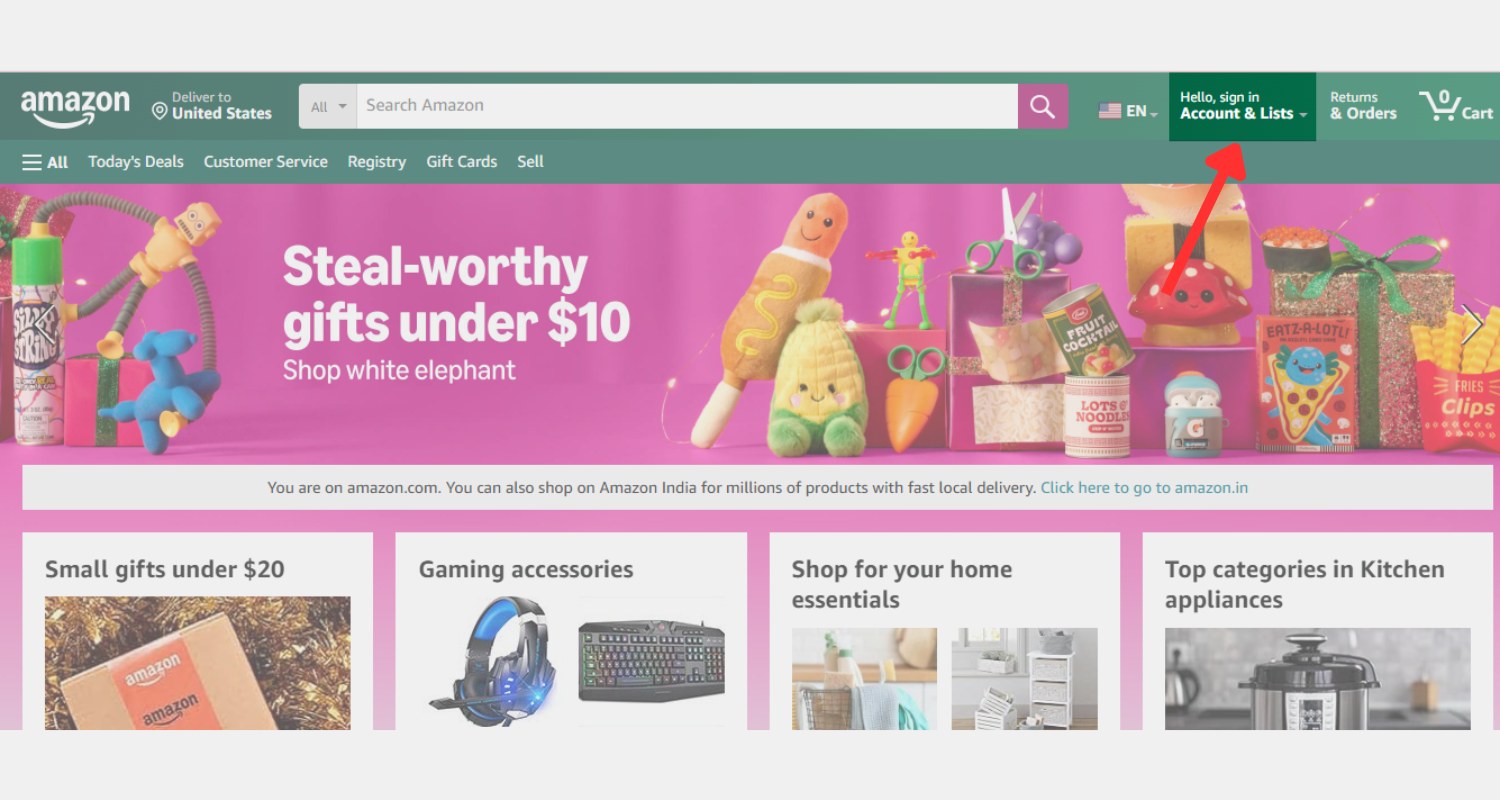
Step 3:
Open Customer Service.
Scroll down and select “Customer Service”
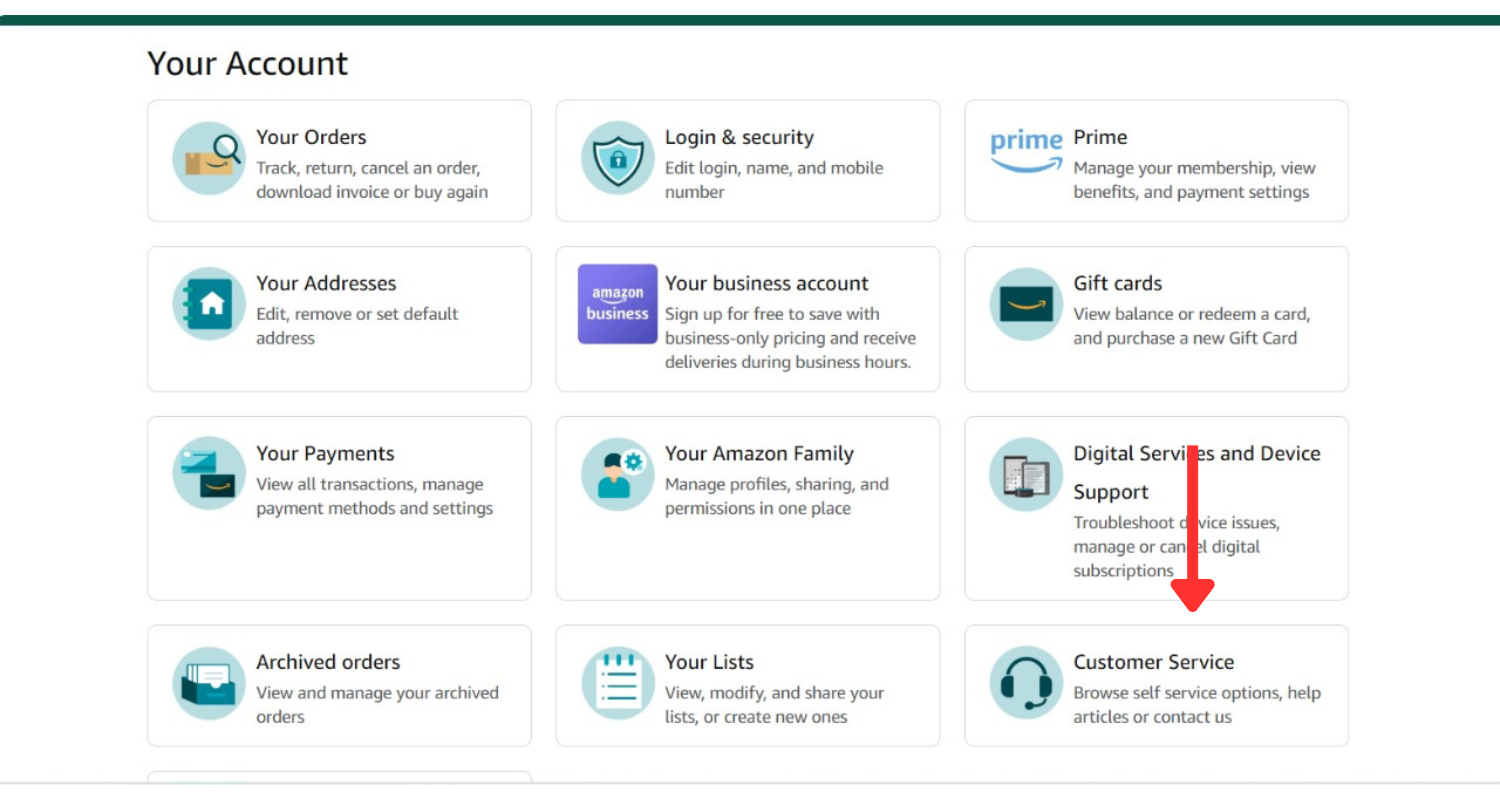
Step 4:
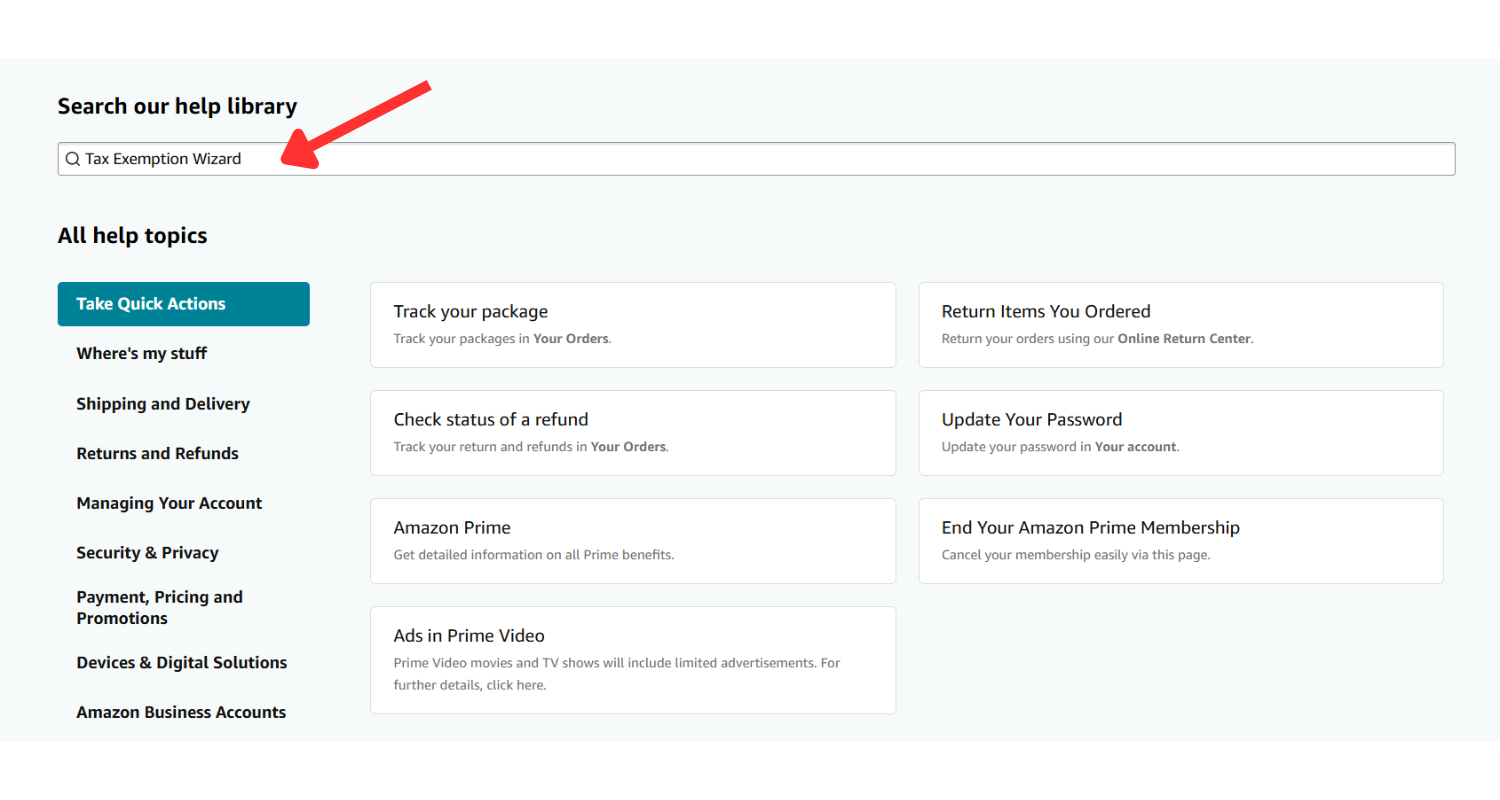
Search for Tax Exemption Wizard
In the search bar, type Tax Exemption Wizard and press Search.
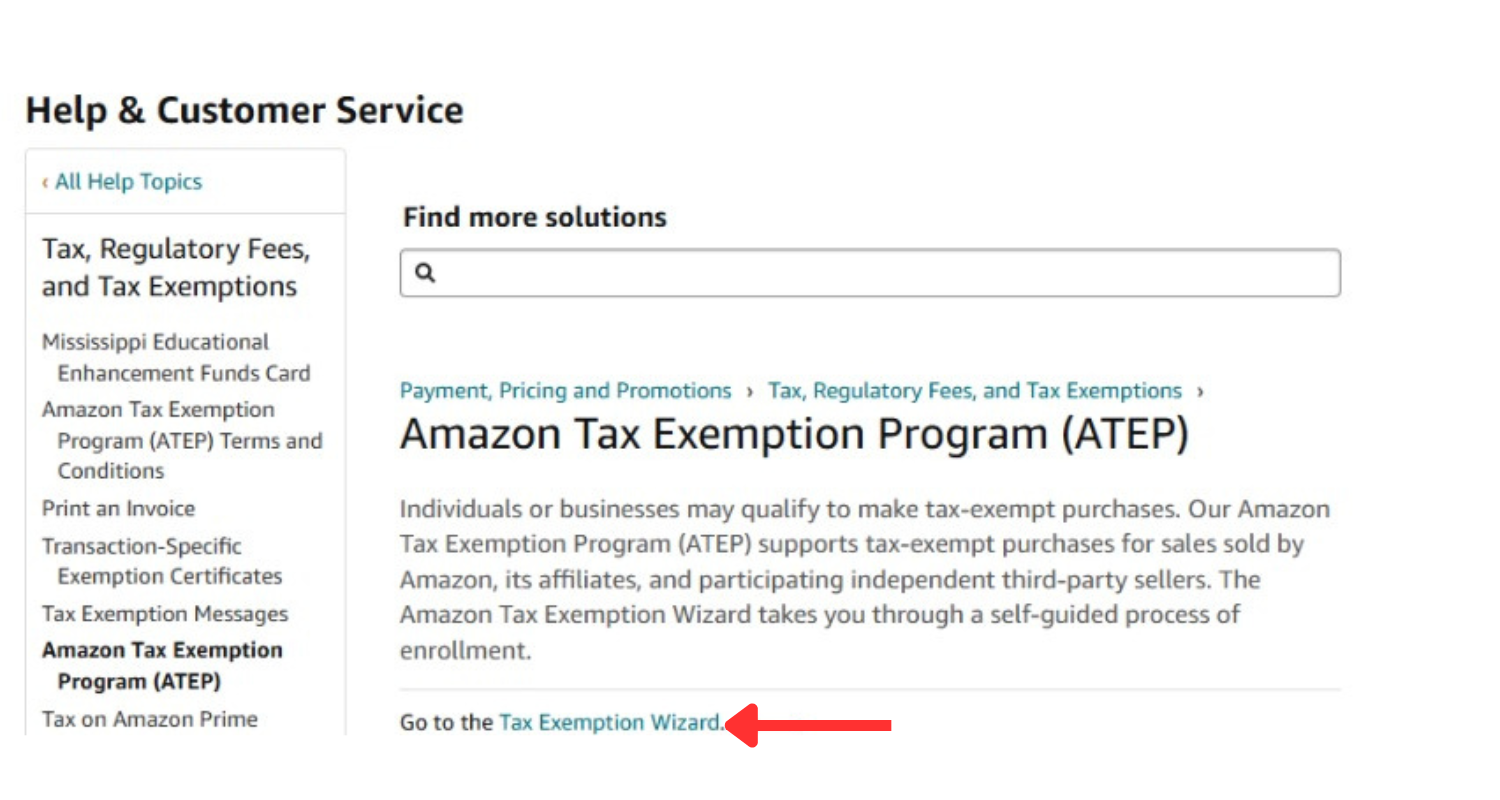
Step 5:
Select the Tax Exemption Link
Select the “Tax Exemption” option from the search results.
Step 6:
Enter Tax Exemption Details
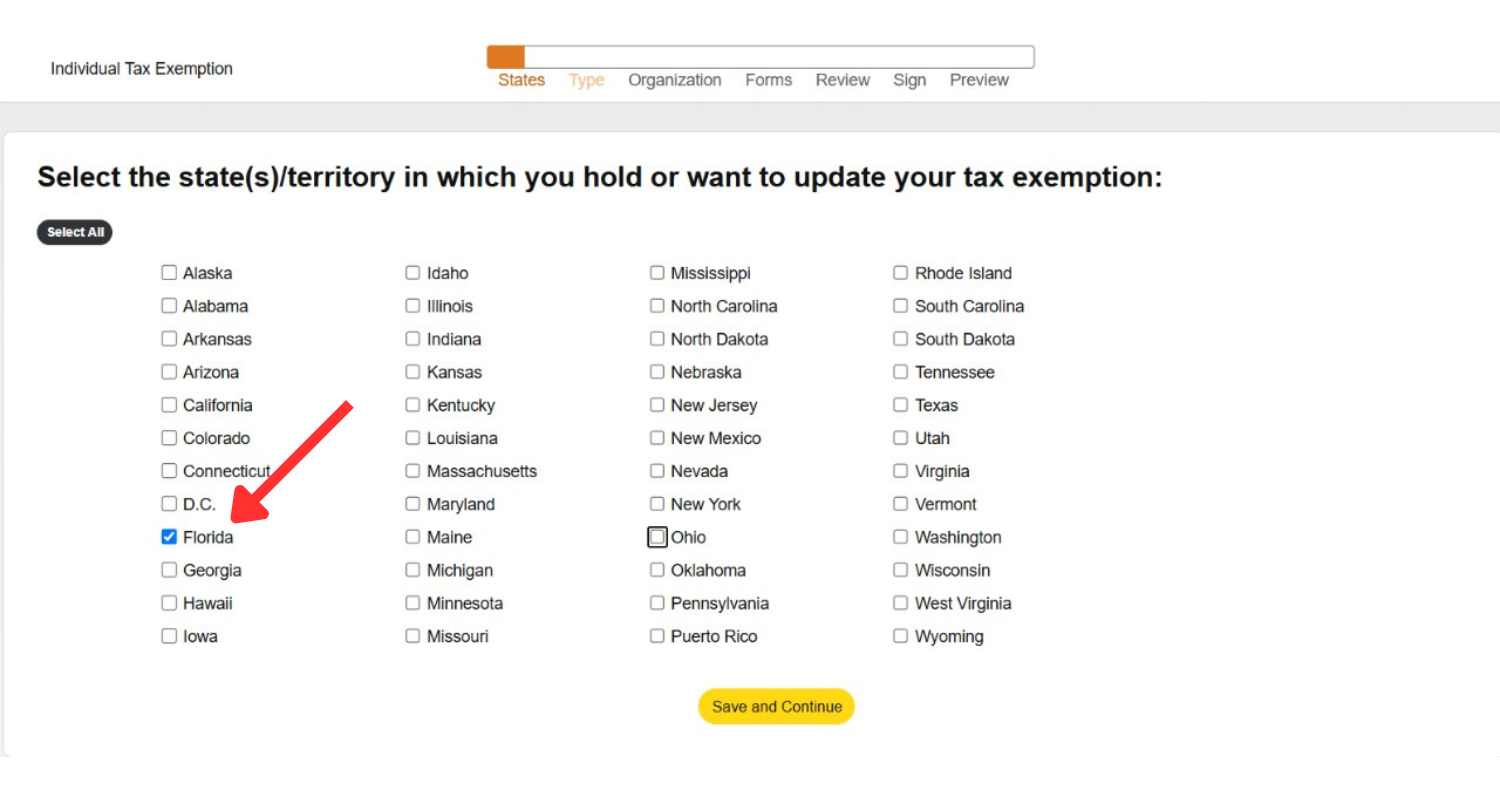
You will be directed to the “Individual Tax Exemption” section. Choose “Florida” as your state, then click “Save and Continue”.
Step 7:
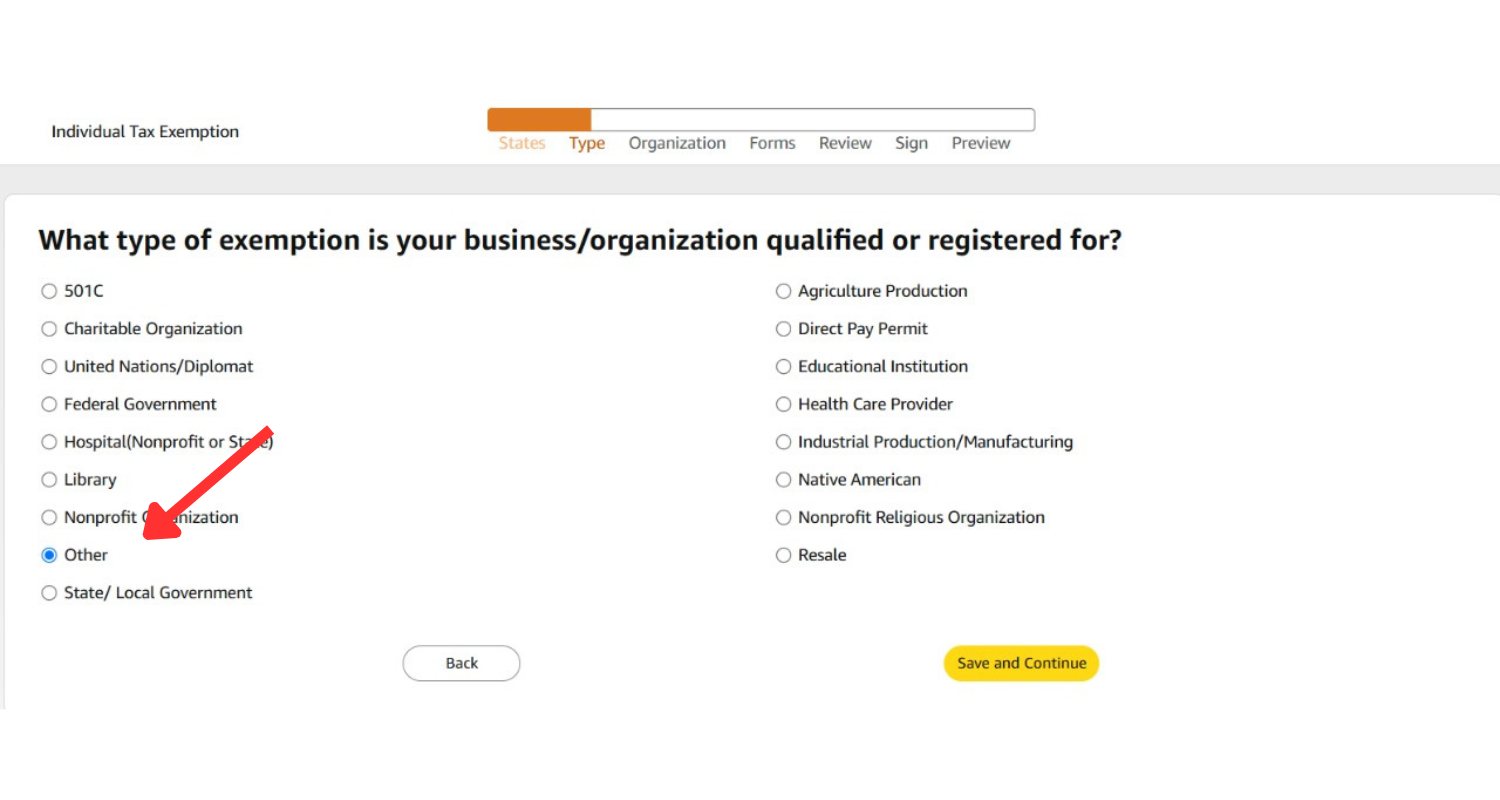
Choose Exemption Type
When prompted, choose “Other” as the exemption type Click “Save and Continue”.
Step 8:
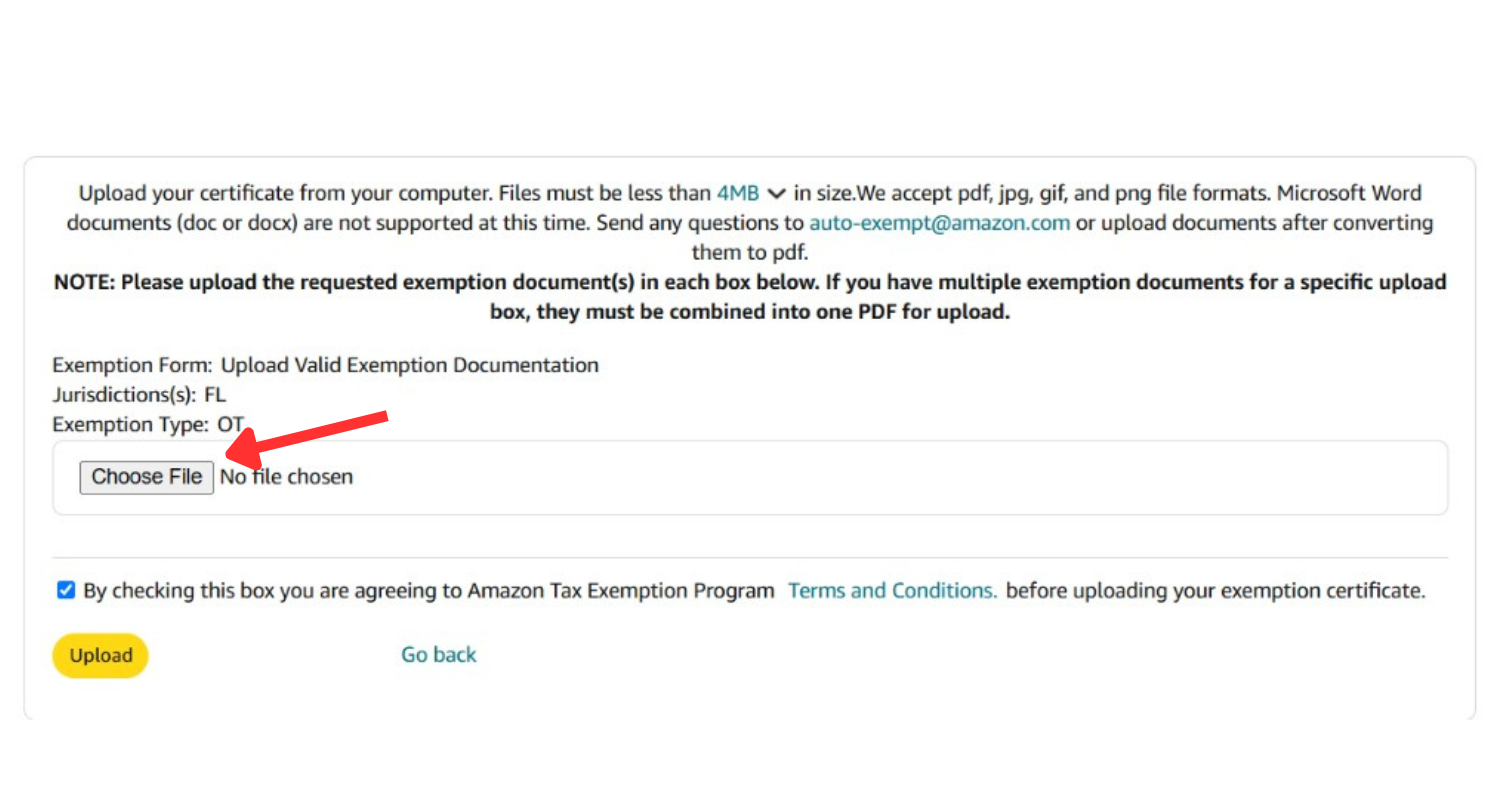
Upload the SendxJa Tax Exemption Document
Upload the SendxJa Tax Exemption Document provided by ShipMe.
Step 9:
Confirmation
Amazon will send a confirmation email once your tax-exempt status is active.
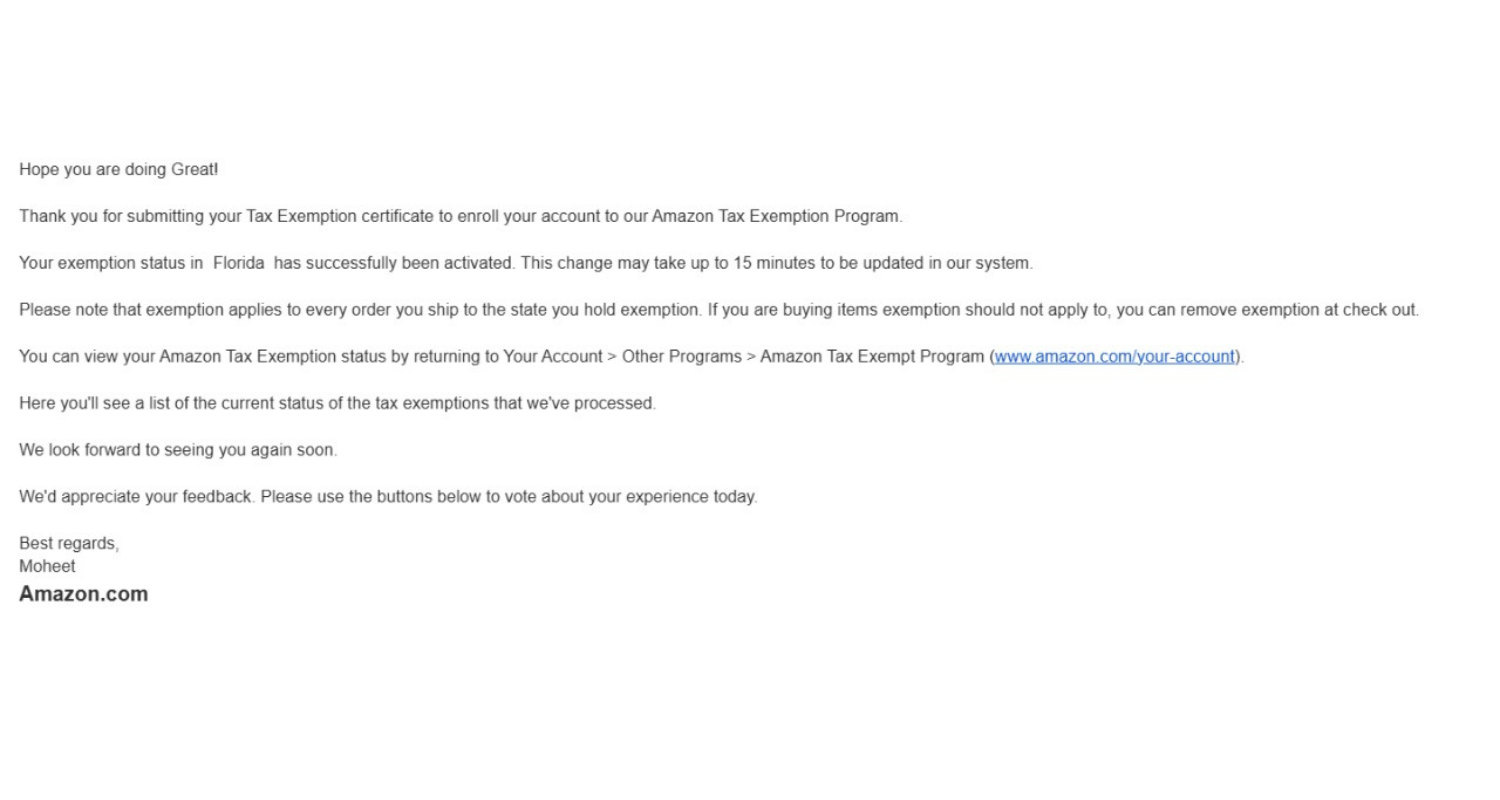
Your Amazon account is now set up for tax-free shopping with SendxJa. For further assistance, please contact SendxJa customer support.